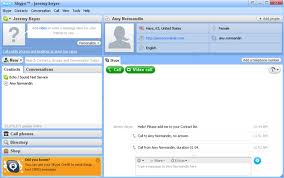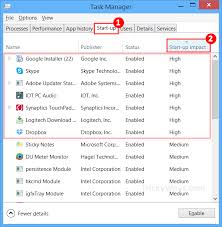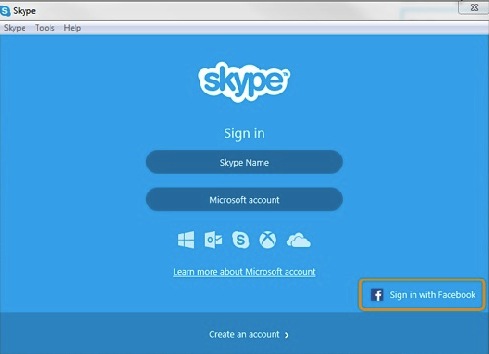
Your audio devices could be complete and your internet connection could be working fine; but even though everything’s ready, don’t get too confident yet to start a Skype call. Check first to prevent some common Skype audio problems with the following steps: Read More …
-
Popular Posts
- Using Hidden Emoticons in Skype
- 3 Easy Steps to get Free Skype Credits [Limited Offer!]
- 7 Little-Known Skype Chat Tricks
- Skype on the Go!: How to Download Skype on Mobile
- Bored? Play Skype Games With Your Friends
- How To Use Facebook With Skype
- Problem with Playback Device in Skype? Fix It In 6 Easy Steps
- Top 5 Dominating Instant Messaging Programs
- Top Skype Add-Ons That You Should Try
- How To Do Group Video Calls with Skype
-
Recent Posts
- How to Check If You Have Skype Audio Problems
- How to Uninstall and Reinstall Skype on your Computer
- What To Do When Faced With Skype Unauthorized Charges
- What You Should Do: Skype Account Hijacked
- How to Check Your Skype Credit Purchase
- How to Disable Skype Auto-recharge
- Skype Refund as Easy as 1-2-3
- How to avoid forgetting your Skype password
- What’s So Rocket Science About Skype? [Skype For Newbies]
- How to Use Bluetooth with Skype
- Make Calls with your iPad using a Bluetooth Headset [Skype on iPad]
- Work Smarter! How to Use Skype to Answer Your Calls When You Can’t
- Skype Tips: Mark All Messages As Read
- Reduce Background Noise in Skype Calls
- How to Unlink Accounts in Skype
- Tips for Public Speaking via Skype Video
- Make One-click Calls with Click.to [Skype Integration]
- 5 Skype Tips For Travelers [Skype For Travel]
- How to Use A Screen Reader with Skype
- Clownfish for Skype: The Online Translator for Skype


When you buy Skype credits, auto-recharge is automatically enabled. It’s good to remember that what you top up the first time you buy Skype credits will be the amount that Skype auto-recharge will top up to your account. 


Whether you have been a long time Skype user or newbie, chances are likely, that you haven’t maximized all the service features that Skype has to offer. For instance, did you know that Skype has a voicemail service that can pick up calls for you when you’re busy? Listen to your messages later or the next time you sign in AND easily return calls at your convenience, for free!